Pattern Views
Pattern Views enable cross Pattern Language relations. A Pattern View can contain subsets of Patterns from multiple Pattern Languages. A Pattern View has its own Pattern Graph and Pattern Relations A detailed introduction to Pattern Views can be found here.
Create Pattern View
-
To create a Pattern View select the Pattern Views tab and click Add View.

-
Fill out the Form and click on Save

Add Patterns to View
-
To add Patterns to the View click on Add Patterns

-
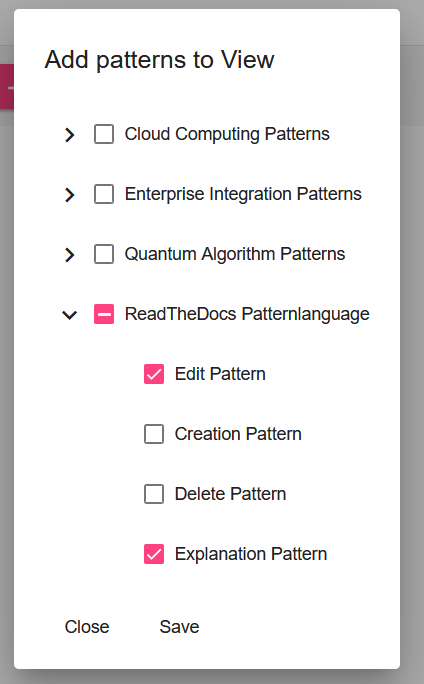
Select the required Patterns from the different Pattern Languages. It is possible to import all Patterns of a Pattern Language or just single Patterns.
OR
-
Navigate to the Pattern View's Pattern Graph and use the side menu to drag & drop Patterns into the graph.

Pattern Relations for Pattern Views
Pattern Views make it possible to relate Patterns from different Pattern Languages. The process of adding, editing and removing Relations is explained here.
Pattern Graph for Pattern Views
The functionalities of the Pattern Graph are explained here